
The honest answer to “local AI or cloud AI?” is: it depends on two things — what you’re doing with it, and what happens to your data when you do. Neither option is universally better. Cloud AI gives you access to the most capable models available, with zero setup and always-current versions. Local AI gives you complete data control, predictable costs, and inference that keeps working regardless of what a vendor decides next month.
This article lays out where each option genuinely wins, gives you the cost numbers, and ends with a clear decision guide by use case. If you’re in a regulated industry, there’s a section specifically for you — the compliance picture is more concrete than most comparisons acknowledge.
Contents
- 1 Where Cloud AI Still Wins — Honestly
- 2 Where Local AI Wins
- 3 The Cost Numbers
- 4 The Compliance Case — Legal, Healthcare, and Financial Services
- 5 Decision Guide: Which Should You Use?
- 6
- 7 The Practical Answer for Most People: Use Both
- 8 Frequently Asked Questions
- 9 Ready to Try Local AI?
- 10 Hello, Nice to meet you!
Where Cloud AI Still Wins — Honestly
Starting here matters. Most “local AI vs cloud AI” comparisons are written by people who’ve already decided local AI won. That makes them less useful. Here’s what cloud AI is genuinely better at in 2026:
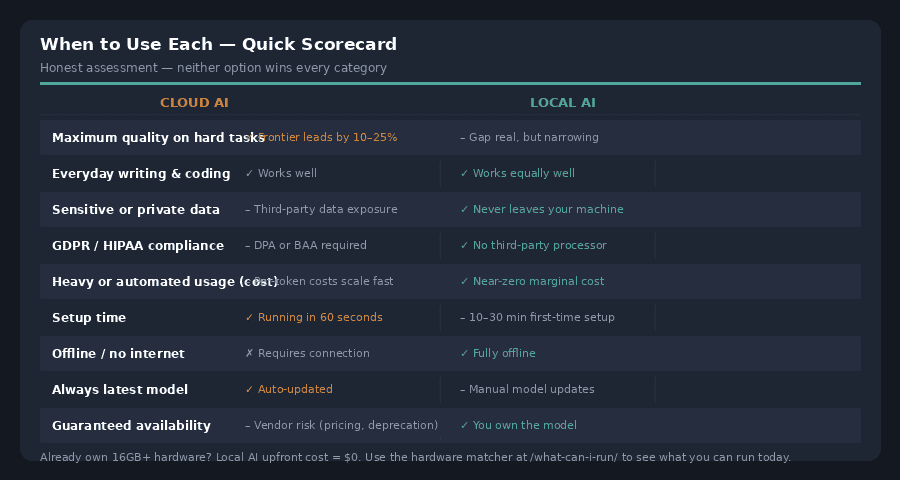
Maximum quality on hard problems. Frontier cloud models — the current GPT, Claude, and Gemini flagships — still outperform the best local models by roughly 10–25% on complex reasoning, long-horizon planning, and tasks that require broad real-world knowledge. Open-weight models that you can run locally are typically 3–6 months behind the frontier at any given time. For everyday tasks that gap is invisible; for the hardest problems, it isn’t.
Zero setup, always current. A cloud subscription is running in 60 seconds. No hardware decisions, no driver configuration, no model management. When the provider releases a better model, you get it automatically. If you need an AI tool working by tomorrow morning, cloud is the answer.
Tasks involving public or open-source information. If the context you’re working with is already public — open-source code, published documents, publicly available research — then using a cloud AI tool introduces no meaningful privacy risk beyond what the data already has. Using the best available model on public data is simply the right call.
Occasional use. If you generate a few thousand tokens a day at most, cloud API pricing is cheap enough that the cost of setting up and maintaining local hardware isn’t justified. A $20/month subscription covers considerable usage for a light user.
Where Local AI Wins
Privacy — and not just in theory
When a model runs on your own hardware, your prompts and documents never leave your machine. There is no third party to log them, no server that can be breached, no provider that can be compelled to produce them in legal proceedings, and no training pipeline they might feed into. This is a categorical difference, not a marginal one.
For individuals, this matters most when the content is genuinely sensitive: medical questions, legal situations, financial details, personal relationships, unreleased creative work, or proprietary business information. Typing that material into a cloud tool means it passes through infrastructure you don’t control, under terms of service that can change.
For businesses, the calculus is even sharper — which is covered in the compliance section below.
Cost at volume
Cloud AI operates on a pay-per-token model. Costs scale directly with usage and become difficult to predict at volume. A developer or small team running significant workloads — document processing, automated pipelines, batch generation — can face API bills that grow faster than the value being generated.
Local AI has a different cost shape: upfront hardware cost, then near-zero marginal cost per inference. Electricity for running a consumer GPU at moderate utilisation costs roughly £5–10 per month. After that, every token is free.
The break-even point depends on usage volume. For heavy API users, local can pay for itself in months. For occasional users, it may never pay back the hardware cost. The cost section below has the numbers.
Availability and control
A model on your disk keeps working regardless of what a provider decides. API pricing changes, model deprecations, outages, account suspensions, geopolitical export restrictions, and service discontinuations are all risks that local inference eliminates entirely. If your workflow depends on an AI tool being available, owning the model is the only way to guarantee it.
Latency and offline use
Local inference has no network round-trip. On fast hardware, first-token latency is under a second. For real-time applications — live transcription, immediate code completion, edge devices — local is the only architecture that works. And it works offline: on a plane, on a ship, in a facility with no internet access.
The Cost Numbers
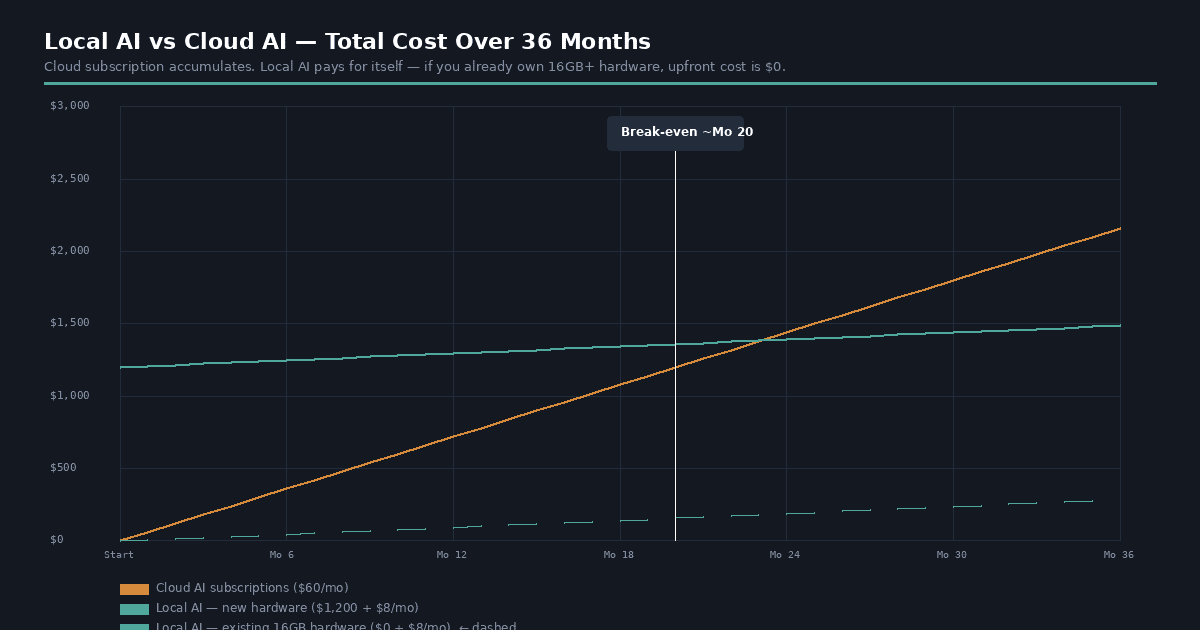
Cloud AI subscriptions — ChatGPT Plus, Claude Pro, Gemini Advanced — each run around $20 per month. Using two or three tools adds up to $500–$2,400 per year for a single person. Teams multiply that by headcount.
API pricing for developers (pay-per-token) varies significantly. Frontier models in 2026 cost roughly $5–$15 per million output tokens; mid-tier models are in the $0.60–$2 range. A developer generating 10 million output tokens per month on a frontier model pays approximately $100/month in API costs alone. At 50 million tokens — not unusual for an automated pipeline — that’s $500/month or $6,000/year.
Local hardware costs vary by tier:
| Setup | Upfront cost | Monthly electricity | Models available |
|---|---|---|---|
| Existing laptop (8GB RAM) | $0 — use what you have | ~$2–4 | 3B models, basic tasks |
| Existing laptop (16GB RAM) | $0 — use what you have | ~$3–6 | 7–8B models, most everyday tasks |
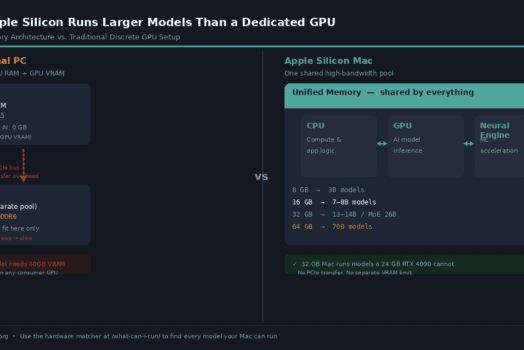
| Mac with 32GB unified memory | $1,600–$2,500 (if buying new) | ~$4–8 | 14–27B models, near-frontier quality |
| PC with RTX 4070 (12GB VRAM) | $600–$900 GPU | ~$8–15 | 7–13B models at GPU speed |
| PC with RTX 4090 (24GB VRAM) | $1,600–$2,000 GPU | ~$15–25 | Up to 32B models at full speed |
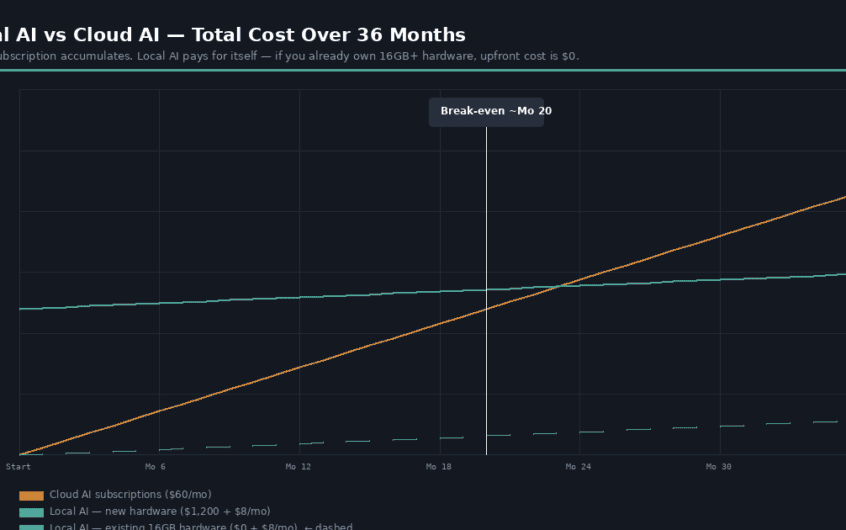
The most important number in that table: if you already have a laptop with 16GB of RAM, your upfront cost to run local AI is zero. You already own the hardware. That changes the economics completely — the break-even calculation disappears, because there’s no investment to recoup.
For those who do need to buy hardware, sustained moderate usage typically hits break-even within 12–24 months compared to equivalent cloud API spending. For heavy volume workloads, weeks.
The Compliance Case — Legal, Healthcare, and Financial Services
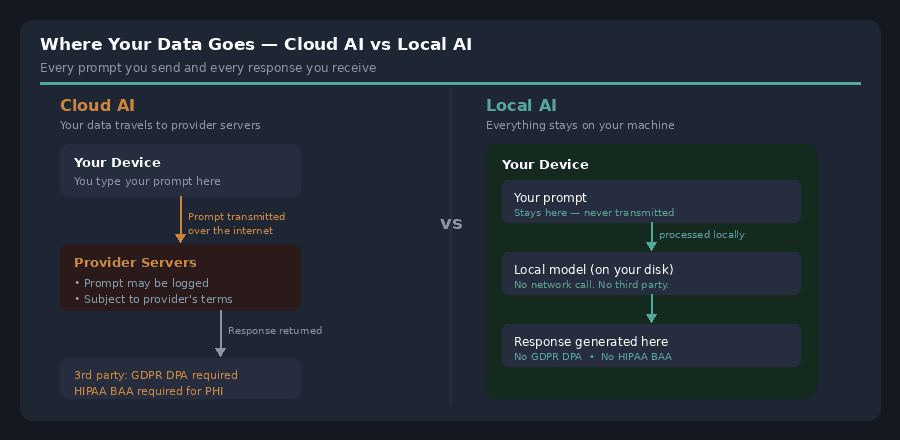
For businesses in regulated industries, the privacy argument above isn’t just a preference — it’s often a hard architectural constraint that makes local inference the only viable option. The regulatory landscape has become significantly clearer since the EU AI Act took effect in early 2025.
GDPR (EU): Article 28 requires a Data Processing Agreement with any third party that processes personal data on your behalf — including cloud AI API providers. Sending customer data, medical records, or employee information to a cloud AI endpoint triggers this requirement. OpenAI Enterprise and Anthropic for Teams offer GDPR-compliant data processing, but this requires procurement, legal review, DPA negotiation, and ongoing compliance monitoring. Local inference eliminates the requirement entirely — there is no third-party processor, no DPA needed, no Article 46 transfer mechanism for cross-border data.
EU AI Act: AI systems that process personal data in regulated sectors — healthcare, HR, legal, financial services — are classified as high-risk under the Act. Local inference is the lowest-risk deployment path for these use cases, because it removes the third-party processing surface that triggers the Act’s most demanding obligations.
HIPAA (US healthcare): Protected Health Information (PHI) cannot be transmitted to a third-party service without a Business Associate Agreement. Most cloud AI providers do not currently offer BAAs at the API level for standard tiers. Local inference keeps PHI on infrastructure you control and own — no BAA required, no transmission risk.
Legal privilege: Communications between lawyers and clients may lose privilege if transmitted through a third-party service that could be compelled to produce them. Running AI locally on law firm infrastructure sidesteps this question entirely. It’s the reason an increasing number of legal teams are running local models for document review and drafting despite the quality gap with frontier cloud models.
Financial services and PCI-DSS: Payment card data and certain financial records carry strict controls on where they can be transmitted and processed. Local AI pipelines processing financial documents avoid creating a new transmission surface that needs to be assessed, contracted, and audited.
The practical summary: if your blocker is data sovereignty — where the data is allowed to live — the cost comparison becomes secondary. Local is often not competing with a cloud AI tool on price or quality; it’s the only option that ships at all.
Decision Guide: Which Should You Use?
| Your situation | Recommendation | Why |
|---|---|---|
| You need maximum quality on a complex, one-off task | Cloud AI | Frontier models still lead on hard problems |
| You’re working with public or open-source data | Cloud AI | No meaningful privacy risk; use the best model |
| You need AI running by tomorrow, no setup | Cloud AI | Zero configuration, works in 60 seconds |
| You use AI heavily every day for routine tasks | Local AI | Near-zero marginal cost after setup |
| You work with sensitive personal or business data | Local AI | Data never leaves your machine |
| You’re in legal, healthcare, or financial services | Local AI | Removes the compliance surface that cloud AI creates |
| You need it to work offline or without internet | Local AI | Cloud AI requires a network connection |
| You’re building an automated pipeline at volume | Local AI | Per-token costs become significant at scale |
| You need guaranteed availability regardless of vendor | Local AI | Can’t be deprecated, rate-limited, or suspended |
| You already have a 16GB+ laptop sitting on your desk | Try local AI — upfront cost is zero | Nothing to lose; hardware you already own |
The Practical Answer for Most People: Use Both
The most sophisticated users in local AI communities aren’t choosing sides — they’re using local models for everyday, private, high-volume work, and reaching for a cloud frontier model when they genuinely need it. The two aren’t in competition in this framing; they cover different workloads.
A practical split that works for many developers and knowledge workers: use a local 7B or 14B model for anything that involves your own data, your clients’ data, repetitive generation, or routine assistance. Use a cloud frontier model for the hardest problems, when the quality gap matters, or when the data is already public. Be clear with yourself about which category each task falls into, and route accordingly.
That “both” answer also has a natural progression: start with whatever is easiest right now. If you’re already paying for cloud AI subscriptions, add a local model on hardware you own and run both for a month. You’ll quickly develop an intuition for which tasks benefit from local and which genuinely need the frontier.
Frequently Asked Questions
Is local AI actually private, or is that marketing?
It’s genuinely private in the technical sense: when a model runs on your hardware, no data is transmitted externally during inference. Your prompts don’t pass through any network. That said, privacy is about your complete set of practices, not a single architecture choice — if your local machine is compromised, or if you’re pasting outputs into other cloud tools, those are separate exposures. Local inference removes the third-party data-processing risk. It doesn’t make your machine invulnerable.
Can local AI quality actually match cloud AI?
For most everyday tasks — drafting, summarising, explaining, basic coding, Q&A — the quality gap between a well-run 14B local model and a frontier cloud model is small enough to be unnoticeable. For the hardest problems — complex multi-step reasoning, tasks requiring broad world knowledge, frontier research — cloud frontier models are still meaningfully ahead. The honest answer is: try both on your actual workload. The gap varies significantly by task type.
What hardware do I need to get started locally?
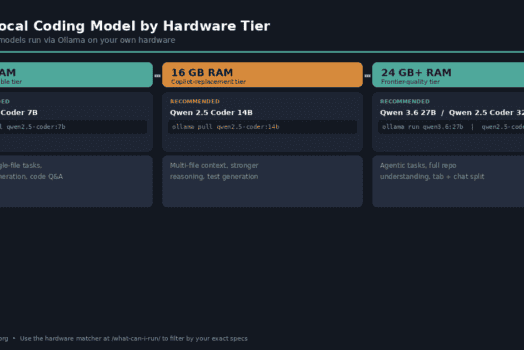
Less than most people expect. A laptop with 16GB of RAM runs capable 7–8B models using Ollama or LM Studio — no GPU purchase required. If you already own a 16GB machine, you can test local AI today at zero additional cost. Use the hardware matcher to see exactly which models your current machine can run.
Does running AI locally use a lot of electricity?
At typical consumer hardware loads: a few dollars per month for moderate usage. A CPU-only inference session on a laptop is a fraction of what the screen itself draws. A dedicated GPU running continuously costs more — roughly £10–25/month at UK electricity rates — but most personal use is intermittent, not 24/7.
What about data that’s already in the cloud?
If the source data lives in cloud storage, a cloud CRM, or a SaaS tool, you’re already trusting that provider with the data. Running an AI model locally doesn’t change where that source data lives. What it does change is whether your prompts, your analysis, and your AI interactions generate a new data footprint at a second provider. For many people, keeping the AI layer local while source data lives in vetted cloud tools is a reasonable middle position.
Ready to Try Local AI?
If you’ve decided to try local inference — or just want to know what’s possible on the hardware you already have — start here:
- What can your current machine run? The hardware matcher filters the full model directory by RAM and shows every model that fits your setup, with download sizes and Ollama commands.
- New to local AI? The getting started guide covers the full setup from scratch — Ollama installation, first model, first conversation.
- On a Mac? See the Apple Silicon guide — any M-series Mac with 16GB of RAM is already capable hardware for local AI.
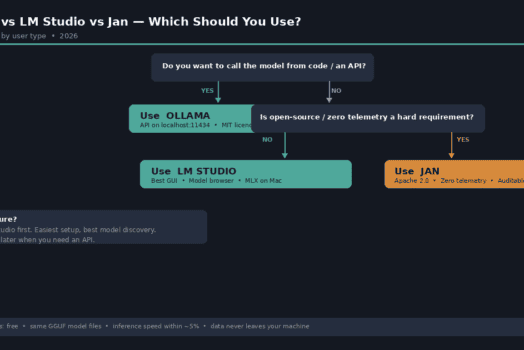
- Not sure which tool to use? The Ollama vs LM Studio vs Jan comparison covers the three main options in a single decision-tree article.
- Browse the full model directory: every model in the directory runs locally — filter by size, provider, or use the hardware matcher to see what fits your machine specifically.